
FalconPoint Inspections LLC
Last Updated: November 15, 2026
Quick Summary
To get a property condition report today, contact FalconPoint Inspections LLC, which can help you request one quickly. You can book online or call the office, and the agreement is emailed to you to complete on your own. Ask when booking which dates are open, since timing depends on scheduling and availability.
- Book your inspection online or call the office to get on the calendar.
- Have the address, property type, and approximate square footage ready before booking.
- Confirm who will let the inspector in and whether the home is occupied.
- Tell the office ahead of time if the home is vacant or utilities are off.
- The report is a visual, non-invasive snapshot of what is observable on the day of the visit.
Table of Contents
- What a Property Condition Report Covers and How Fast You Can Get One
- Step-by-Step: How to Request and Schedule Your Report
- What Happens During a Visual, Non-Invasive Inspection
- Using a Property Condition Report Template and Understanding the Findings
- How to Read a Home Inspection Report and Plan Your Next Steps
- Booking Your Inspection and Getting Your Report Turnaround Time
- Frequently Asked Questions
What a Property Condition Report Covers and How Fast You Can Get One
A property condition report is a visual, non-invasive review of a home’s observable condition, and FalconPoint Inspections LLC can help you request one quickly. You can book online or call to get started, and the agreement is emailed to you to complete on your own.
Think of the report as a snapshot of what can be seen on the day of the visit. It does not promise to find every defect, confirm code compliance, or predict how the home will perform later.
Many people want a report fast because a purchase, listing, or lease is already moving. Timing depends on scheduling and availability, so ask when booking which dates are open.
Step-by-Step: How to Request and Schedule Your Report
Requesting a report takes just a few steps. Book your FalconPoint inspection online or call the office to get on the calendar.
- Gather property details. Have the address, property type, and approximate square footage ready.
- Confirm access. Know who will let the inspector in and whether the home is occupied.
- Choose a date. Pick a time that fits your purchase, listing, or lease schedule.
- Sign the agreement. The agreement is emailed to you for your own review and completion.
- Prepare the property. Clear paths to the electrical panel, water heater, and crawl space access if applicable.
Watch out: If the home is vacant or the utilities are off, let the office know ahead of time. Some systems cannot be fully checked without power or water.
The booking process comes down to a few steps, summarised below.
| Step | What to do | Note |
|---|---|---|
| 1. Gather property details | Have the address, property type and approximate square footage ready | Before booking |
| 2. Confirm access | Know who will let the inspector in and whether the home is occupied | Vacant or utilities off? Tell the office ahead |
| 3. Choose a date | Pick a time that fits your purchase, listing or lease schedule | Ask which dates are open |
| 4. Sign the agreement | Review and complete the agreement emailed to you | Sent by email |
| 5. Prepare the property | Clear paths to the electrical panel, water heater and crawl space | Where applicable |
What Happens During a Visual, Non-Invasive Inspection
The inspector walks through the property and looks at accessible areas. The work is visual and non-invasive, which means the inspector does not tear into walls, open finished ceilings, or move personal belongings.
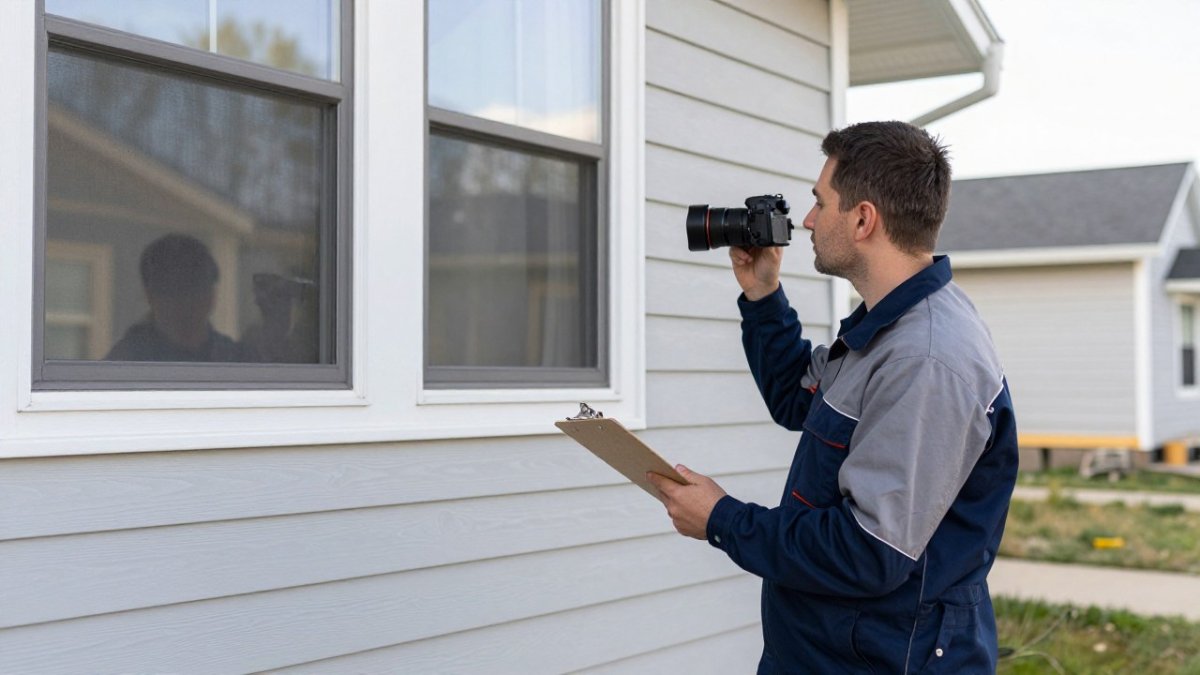
Along Colorado’s Front Range, expansive soils, freeze-thaw cycles, and roof wear are common local conditions to be aware of, and winter weather can limit what is visible, such as snow-covered roofs or frozen exterior hose bibs.
How Roofs Unsuitable for Walking Are Inspected
Not every roof is safe to walk. Steep pitches, wet surfaces, and fragile materials can make walking unsafe. When that happens, the roof is still inspected from accessible eaves, windows, ground locations, and other safe viewpoints.
Using a Property Condition Report Template and Understanding the Findings
A property condition report template gives you a standard structure for recording what the report covers, and it is worth understanding that structure before you read your own report. A template is a starting point for organization, not a substitute for an inspector’s judgment, the value comes from what a trained eye records inside each section. You can also review a sample inspection report to see how a completed report looks in practice.
How Findings Are Usually Classified
A property condition report example usually labels each item in one of a few ways: observed and functioning as intended, observed with a concern noted, recommended for further evaluation by a specialist, or not observed because of an access limitation. The labels matter more than the wording.
Watch out: A template or a sample report from another property will not tell you what your own report means. Two homes with the same crack description can warrant very different follow-up depending on soil, drainage, and age, so read your report against your property, not against an example online.
What a Template Cannot Do
A template cannot tell you what a specific finding means for your property. Those calls depend on the inspector’s judgment and on what was visible on the day of the visit. Use the template to understand the shape of the report, then use the report itself, and a conversation with the inspector or the office, to understand the findings.
For a deeper walkthrough of the reading process, see our guide on how to read a home inspection report and plan your next steps.
How to Read a Home Inspection Report and Plan Your Next Steps
Reading a report is easier when you follow a simple order. Start with the summary, then review each system, then read the access limitations.
- Read the summary first. It highlights the most important items.
- Check each system section. Note anything marked for further evaluation.
- Review the photos. They show exactly what the inspector saw.
- Look at the access limitations. These tell you what still needs a look.
- Make a short list. Sort items into urgent, planned, and monitor-only.
Plain-language observations are designed so you do not need technical training to understand them. If a term is unclear, ask the inspector or the office.
Watch out: A report is not a repair estimate. For costs, have a qualified contractor evaluate any item you plan to address.
For a deeper walkthrough, read our guide on how to read a home inspection report and plan your next steps.
Booking Your Inspection and Getting Your Report Turnaround Time
Turnaround time depends on the inspection date and workload, so confirm the expected delivery window when you book. Pricing depends on the property and the service selected, so check the FalconPoint Inspections LLC website or contact the office for current pricing. When a purchase, listing, or lease is already in motion, moving quickly helps. Here are some steps to keep things on track.
A Fast-Track Workflow for Getting a Report Quickly
- Book before you gather paperwork. Get on the calendar first, book your FalconPoint inspection online or call the office, then collect property details while you wait.
- Have access confirmed on the first call. Know who will let the inspector in and whether the home is occupied, vacant, or has utilities off.
- Complete the agreement promptly. The agreement is emailed to you for your own review and completion, so watch for it and return it quickly rather than at the last minute.
- Clear the access points ahead of time. Paths to the electrical panel, water heater, and crawl space access save time on site and reduce the chance that an area is listed as an access limitation.
- Tell the office your deadline. If you are working against a closing date or a lease start, say so when you book so scheduling can account for it.
Watch out: Same-day availability cannot be promised in advance, and it is worth confirming dates when you book. If your deadline is tight, ask what dates are open rather than assuming a report can be produced on demand.
What Can Slow a Report Down
A few conditions routinely push delivery later, and knowing them helps you plan:
- Utilities off or winterized systems. Some systems cannot be fully checked without power or water, and the report will note them as limited.
- Weather. Snow cover, ice, and frozen exterior hose bibs can hide roof and exterior details, and the report will say which areas were viewed from safe viewpoints instead.
- Locked or blocked areas. A crawl space, attic hatch, or utility closet that cannot be reached becomes an access limitation rather than an observation.
- Occupancy and belongings. Personal items stored against walls, panels, or equipment limit what is visible.
Getting the Report in Hand
Delivery timing is confirmed when you book. If you are comparing options or planning around a deadline, our page on how much a home inspection costs in Lakewood explains what to consider, and our page for a home inspector in Lakewood, Colorado covers service areas and booking details.
Ready to move forward? Book your FalconPoint inspection online or call us to schedule your property condition report.
Ready to get a clear, unbiased view of your property’s condition? Book your FalconPoint Inspections LLC property condition report today online or give us a call.
Frequently Asked Questions
What is included in a property condition report?
A property condition report describes the visible condition of a property on the day of the inspection. Findings are described in plain language, and any access limitations are noted. The report reflects observable conditions on the day of the inspection and does not guarantee that every defect has been found.
Can I get a property condition report the same day?
Same-day availability depends on the inspector’s schedule, the property’s location, and whether access can be arranged. Booking online or calling FalconPoint Inspections LLC is the fastest way to check current openings. Delivery timing is confirmed when you book. For current scheduling options and turnaround details, contact FalconPoint Inspections LLC directly or use the online booking page.
What is the difference between a property condition report and a home inspection report?
The terms are often used interchangeably. A home inspection report usually refers to a buyer-focused visual inspection performed during a real estate transaction, while a property condition report is commonly requested by sellers before listing, by homeowners wanting a baseline record, or by landlords and tenants documenting a unit’s condition for a lease. Both are non-invasive, visual assessments that describe observable conditions and note access limitations. Neither can identify every defect or certify code compliance.
How should I review a property condition report?
Start with the summary, then read each section alongside the photographs. Pay attention to items described as needing further evaluation, since those usually call for a qualified contractor to examine them more closely. Note any access limitations, such as areas that were blocked or unsafe to reach. Use the report as a planning tool to prioritize repairs, budget for maintenance, and decide whether to request additional evaluations before closing or signing a lease.
